

Quick answer
The decision in practical terms
Choose an audio guestbook phone when your priority is the lowest-friction guest experience, fast unattended setup and a lightweight post-event workflow. Choose video when your customer is paying for a more visual, premium deliverable and your team can manage lighting, framing, consent, storage and larger files. Many rental operators should not treat the choice as either-or: audio can be the dependable core package, while video becomes a higher-touch upgrade for venues and clients that support it.Prepared from CHEETA-supplied product documentation, current public event-rental workflows, product pages and buyer-side operating checklists. Product-specific statements are limited to documented configurations; commercial figures, venue rules and compliance requirements must be confirmed for each project and market.
AI assisted the outline and language refinement. CHEETA product context, operational recommendations and cited sources were reviewed before publication. Pexels photographs are illustrative and do not depict CHEETA products, customers or facilities.
Start with the service you want to sell—not the hardware
A wedding rental company does not earn repeatable margin merely by owning a telephone-shaped recorder. It earns margin by turning a fragile event moment into a reliable service: the unit arrives prepared, guests understand it, messages survive the venue, files are retrieved safely, and the couple receives something worth keeping. Audio and video guestbook phones solve that job in different ways. The best format is therefore the one your team can deliver consistently within its venue network, staffing model and brand promise.
Audio reduces the number of decisions a guest must make. A person lifts a handset, hears a greeting, speaks and hangs up. Video adds emotional richness—facial expression, clothing, movement and the visual atmosphere of the event—but it also introduces framing, lighting, background, storage and privacy decisions. If your business is built around drop-off rentals with minimal on-site support, operational simplicity deserves more weight. If your business already provides booths, photography, DJs or attendants, video may fit naturally into an existing production workflow.
Before asking which device looks more impressive, define the offer. Is the customer buying raw messages, cleaned files, a private gallery, a highlight film, a USB presentation box or an attended activation? Hardware should follow that answer. A highly capable device paired with an undefined delivery process creates support work; a simpler device paired with a disciplined service can become a dependable rental product.
Audio and video at a glance
The matrix below is a planning tool, not a universal scorecard. A well-designed video unit can be simple, and a poorly prepared audio rental can still fail. Use the differences to decide what needs testing during a sample event. Give extra weight to the rows that create labor, customer support or reputational risk for your particular operation.
| Decision factor | Audio guestbook | Video guestbook | Operator implication |
|---|---|---|---|
| Guest learning curve | Very low | Low to moderate | Video benefits from a clear prompt and framing cue |
| Venue sensitivity | Primarily noise | Noise, light and background | Video needs a more deliberately chosen location |
| File handling | Smaller audio files | Larger video files | Plan storage, transfer and backup time |
| Emotional output | Voice, laughter and tone | Voice plus expression and visual context | Match the deliverable to the client’s expectations |
| Unattended use | Often well suited | Possible with a controlled interface | Test guest recovery from mistakes |
| Editing burden | Usually lighter | Potentially heavier | Define whether editing is included or optional |
| Privacy considerations | Recorded voice | Voice and identifiable image | Use clear notice and market-specific consent practices |
Guest behavior: the most important specification is human
A guestbook phone succeeds when a first-time guest can act without asking a staff member for help. The physical handset already carries a familiar mental model: pick up, listen, speak, hang up. This is one reason audio units remain attractive for mixed-age events. The interaction is private enough to encourage stories, yet familiar enough to invite participation. Public reporting on audio guestbooks also highlights the value of placing the phone in a quieter nook and giving shy guests prompts rather than leaving the experience unexplained.
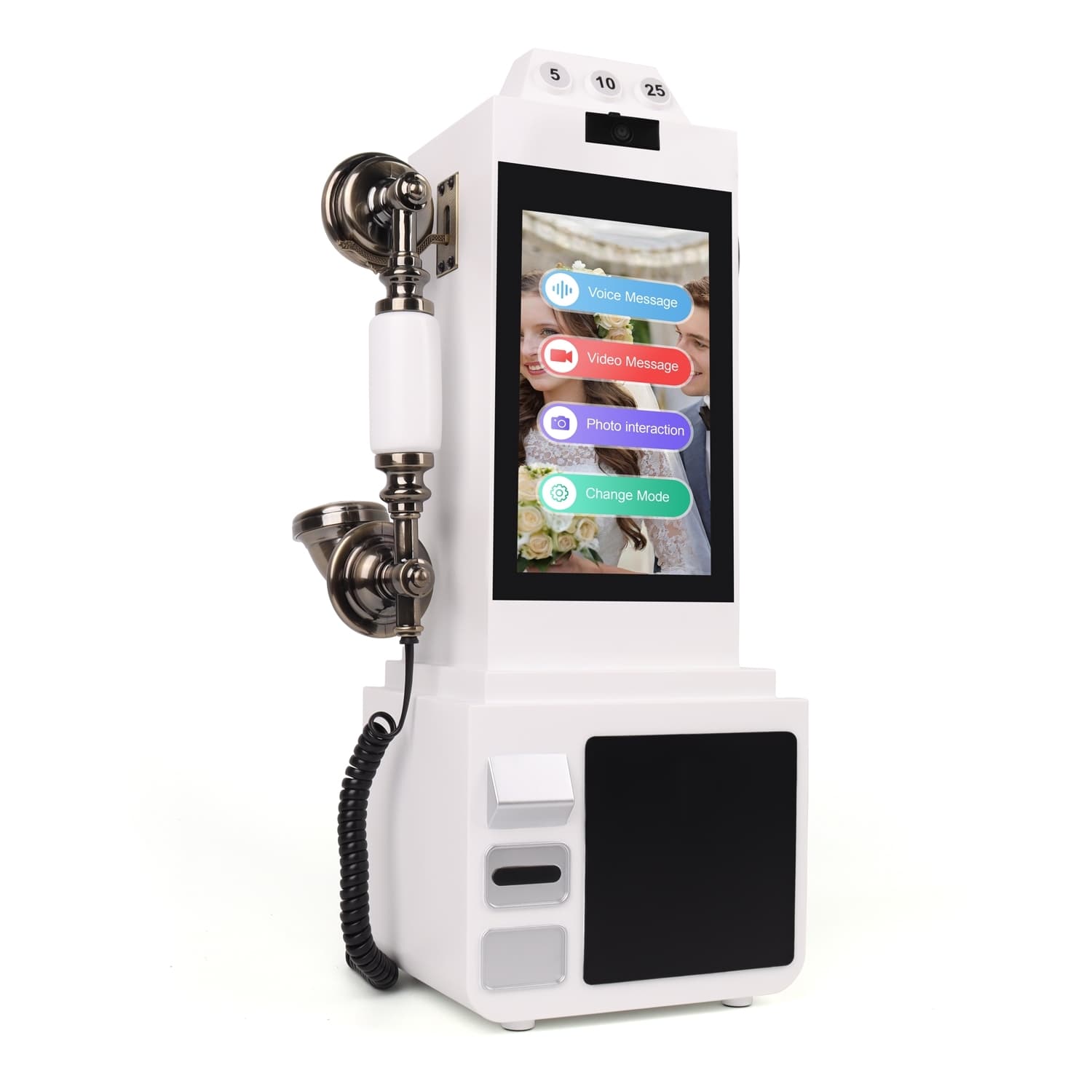
Video changes guest behavior because people know they are being seen. Some guests become more expressive; others become self-conscious. That is not a product defect—it is a service-design issue. A flattering camera height, a simple live preview, a concise greeting and a visually calm background can reduce hesitation. An attendant can increase participation at large events, but it changes your cost structure. An unattended video format should make the start, stop and save states unmistakable and prevent guests from reaching administrative settings.
Test with people who did not help design the workflow. Give them no verbal instruction. Watch whether they know where to stand, where to look, when recording begins, whether a message was saved and what to do after a mistake. The resulting observations are more valuable than a feature list because they predict support calls and missed messages.

Venue readiness: sound is only half of the video problem
Audio and video both need distance from loudspeakers, dance floors and high-traffic bottlenecks. A visually beautiful placement beside the DJ can produce unusable recordings. For audio, listen for bass vibration, reverberation and competing conversations. For video, add a light test and a background test. Faces should be readable without forcing guests into glare, and the background should not expose private areas, service doors or constant pedestrian traffic.
Create a repeatable placement brief for planners and venue teams. It should specify an approximate footprint, access to power if required, a stable surface, separation from amplified sound and the level of ambient light needed. Include a fallback position. The brief is a sales tool as well as an operations tool: it signals that you are selling a managed experience rather than sending an unexplained object.
For outdoor events, test wind noise, temperature, moisture exposure, screen visibility and cable safety. For multi-day events, document charging, shutdown and file-protection procedures. Never assume that a venue’s Wi-Fi will be available, fast or open to an unfamiliar device. A connected workflow needs a defined offline fallback; an offline workflow needs a disciplined handoff and backup plan.
Evaluate capture quality as a system
Do not evaluate a guestbook phone by recording one quiet message in an office. Recreate the conditions that damage real event files. Play music at a realistic level, place several people nearby, dim the lights, record short and long messages, interrupt power safely according to the manual, and repeat the cycle until storage and battery behavior are understood. Listen through ordinary consumer headphones and speakers, not only studio equipment. For video, review both the brightest and darkest samples on a phone and laptop.
The microphone, enclosure, internal gain, recording format and placement all affect audio. Camera resolution alone does not guarantee appealing video; lens angle, exposure behavior, frame rate, lighting and audio synchronization matter. Ask a supplier for sample files captured by the exact proposed model and configuration, then create your own files during sample approval. A polished marketing clip is not a substitute for raw evidence.
Your acceptance criteria should be observable: the greeting plays at an intelligible level, recording starts at the expected moment, the save action is clear, filenames remain unique, files open on your delivery computer, and messages survive ordinary shutdown. If the service includes editing, time how long it takes to ingest, review, trim, normalize and export a realistic event batch. That labor belongs in your commercial decision.
Map the full operating workflow before buying inventory
A rental unit moves through more states than most buyers list in an RFQ: storage, charging, greeting setup, dispatch, venue setup, guest use, collection, quarantine, file export, backup, cleaning, inspection and redeployment. Document who owns each state and what evidence confirms completion. A unit should not return to inventory merely because its exterior looks clean; it should pass a functional check and the previous event’s data should be handled under a defined retention policy.
Audio workflows usually move faster because files are smaller and the interface is simpler. Video can still be efficient, but ingestion and delivery need capacity planning. Estimate the largest plausible number of messages, their maximum duration and the resulting transfer time. Decide whether the customer receives individual clips, a combined edit, cloud access or physical media. If cloud delivery is part of the promise, define upload responsibility, gallery access duration and what happens when a venue connection fails.
Use a unique event identifier rather than the couple’s names alone. Keep a chain-of-custody log for the unit and storage media. Make one verified backup before deleting anything. If staff use personal laptops or drives, your privacy risk expands; a dedicated, access-controlled workflow is preferable. These procedures sound formal, but they protect the emotional asset your customer actually purchased.
Treat privacy and consent as product requirements
A recorded voice is personal data in many contexts; a recognizable face adds another layer. Rules vary by country, state, venue and use, so this guide is not legal advice. The operational principle is simpler: make recording obvious, tell guests who is collecting the message and for what purpose, avoid hidden capture, restrict administrative access and do not keep files longer than the service requires. Ask local counsel to review your notice and contract when you enter a new market.
Video requires particular care because bystanders may enter frame and clips may later be used on social media. Your customer agreement should distinguish private delivery from promotional use. Do not assume permission to publish a guest’s message because the guest participated in the event. If you want portfolio content, obtain separate, explicit authorization that can be declined without affecting the rental.
At the device level, ask how guests exit a failed recording, whether they can view or delete previous messages, how administrative settings are protected, where files are stored and how data is erased between events. For connected models, document network services, access credentials and update responsibility. For offline models, document physical access to storage. Privacy is not a paragraph added after purchase; it affects interface, staff training, contracts and the commercial promise.
Design a deliverable customers can understand before booking
Couples and corporate clients compare outcomes more easily than technical specifications. Show an example of exactly what they receive: a folder structure, private gallery, USB presentation, edited montage or combination. State whether raw files are included, whether audio is cleaned, whether video is trimmed, how filenames are organized, how long delivery remains accessible and which revisions are included. Clear boundaries reduce post-event disappointment and make premium tiers easier to explain.
Audio supports creative repackaging: a curated listening gallery, anniversary compilation or soundtrack under a client-supplied video, subject to permissions. Video supports short-form edits, private galleries and documentary compilations, but the editing promise must match your team’s capacity. Do not include unlimited cleanup inside a hardware rental price unless the economics have been tested.
Build a standard delivery checklist and a sample customer email. Confirm the download link, test the archive, include simple playback guidance and retain a dated handoff record. If physical media is offered, use new media from a controlled source and verify it after copying. A beautiful package cannot compensate for a missing or corrupted file; technical verification comes first.
Compare commercial fit without relying on generic price claims
Public rental prices vary dramatically by region, service level, shipping, brand and deliverable, so a copied market average is a weak purchasing basis. Build your own contribution model. Include landed unit cost, freight, duties and taxes, payment fees, packaging, spares, cleaning supplies, storage, insurance, customer acquisition, staff setup time, file-processing time, delivery software, failed-event reserve and expected useful rental cycles. Run conservative, base and strong-utilization scenarios.
Audio may produce a lower operational cost per event because setup and processing can be lighter. Video may support a higher-priced tier because the deliverable is visually richer, but it can also consume more labor and storage. The right comparison is not device price versus rental price. It is contribution after the complete service obligation, adjusted for utilization and risk.
Track actual time from the first ten events. Record support contacts, setup minutes, post-production minutes, data volume, damage, consumables and customer-requested revisions. Update the package after evidence appears. A rental business that measures its workflow can improve quickly; one that only counts bookings may discover too late that a popular package is labor-heavy and fragile.
- Model at least one lost weekend, one damaged accessory set and one expedited replacement shipment.
- Separate hardware payback from ongoing editing and delivery costs.
- Price attended setup and custom editing as explicit service options when they create real labor.
- Keep model-specific MOQ, lead time, warranty and spare-part terms inside the supplier quotation, not assumptions in a spreadsheet.
When a two-format portfolio is stronger
For many operators, the practical answer is a small portfolio rather than a single winner. Audio can cover drop-off rentals, smaller events, noise-controlled lounge placements and clients who value candid voice. Video can serve premium weddings, brand activations, milestone events and clients who already expect visual production. The portfolio also gives sales teams a genuine discovery conversation instead of forcing every customer into one format.
Avoid buying broad inventory before you understand demand. Start with sample units and a limited launch. Use the same color language, cases, instruction design and delivery brand across formats so the collection feels intentional. Standardize accessories wherever possible, but never substitute a power supply, cable or storage component without confirming compatibility and safety.
Your website can present the formats as outcomes: easy voice memories, visually rich messages, connected delivery or offline reliability. Then ask qualifying questions—venue type, expected guest count, preferred deliverable, on-site support and target date. The answers guide the quote and create useful demand data for the next purchase order.
Run a sample approval like a real event
Approve appearance and function separately. Appearance approval covers color, surface, handset fit, screen alignment, branding, packaging and visible workmanship. Functional approval covers greeting setup, trigger behavior, capture, save, playback if available, export, charging, shutdown and recovery. Photograph the approved sample and record software or firmware identifiers where applicable so later production can be compared to a known reference.
Then conduct a small mock reception. Use at least ten people, background music, mixed message lengths and the lighting expected at your target venues. Include one person who deliberately misunderstands the interface. Test the setup instructions with a staff member who has not seen the unit. Afterward, process and deliver the files exactly as you would for a paying customer.
Log every friction point and classify it: product configuration, instruction design, venue placement, staff process or customer expectation. Not every issue requires a hardware change. Better signage, a shorter greeting, a marked standing position or a revised handoff checklist may solve more than a complex customization. Share a consolidated change list with the supplier rather than sending isolated messages that can conflict.
What to include in an RFQ for audio or video units
A useful RFQ allows the manufacturer to recommend a configuration and exposes missing decisions early. Begin with buyer type, target country, intended event use, expected order quantity and launch date. State whether the unit will be rented, resold or bundled inside a service. Describe the desired guest workflow in plain language before listing features.
For audio, ask about greeting replacement, recording trigger, supported export method, file format, storage, power, supported message duration, handset and cable parts, color options and reset procedure. For video, add screen size, camera and microphone configuration, orientation, local versus connected workflow, storage, supported network options, admin access, file export, update responsibility and offline behavior. For both, request exact packaging dimensions, unit and carton weights, accessory list, labeling options, spare-part availability and model-specific documentation.
Do not ask only whether a product is ‘certified.’ Identify the destination market and intended configuration, then request the applicable reports, declarations and scope. Confirm MOQ, sample terms, lead time, payment, Incoterm, warranty process and change-control procedure in writing. These commercial items can vary by model and order; they should be quoted, not inferred from a general website page.
- Target market and buyer channel
- Audio, offline video or connected video workflow
- Expected quantity and sample quantity
- Branding, color, packaging and manual scope
- Required accessories and spares
- Destination-specific evidence to review
- Acceptance test, change control and approved-sample reference
A practical recommendation by operator type
Choose audio first if you operate unattended drop-off rentals, serve many venue types, have limited post-production capacity or want the broadest guest accessibility. Choose video first if you already control lighting and on-site presentation, sell premium visual deliverables, have a secure media workflow and can support guests when needed. Choose both only when you can explain two distinct packages and maintain two workflows without reducing reliability.
Whichever format you choose, purchase after a documented sample event, not after a showroom impression. The best guestbook phone is the one that produces usable messages repeatedly, fits your staff process, protects customer data and supports a deliverable people understand. A supplier conversation should therefore start with workflow, market and acceptance criteria—not color alone.
Buyer questions
Frequently asked questions
Is an audio guestbook easier to rent than a video guestbook?
Usually, because the handset interaction is familiar, files are smaller and lighting is not part of capture. Ease still depends on greeting setup, venue noise, power, instructions and a reliable export process. Test the exact model in a realistic event environment before treating it as unattended.
Can a video guestbook work without venue Wi-Fi?
Yes, if the selected product is designed to record locally or provides a documented offline fallback. Confirm where files are stored, how capacity is monitored, how media is exported and what happens if connectivity disappears during a recording. Do not assume every connected model behaves the same way.
Which format is better for shy guests?
Many shy guests find audio less intimidating because they are not on camera, especially when the phone is placed in a quieter nook. Others respond well to video prompts. The operator should provide privacy, concise instructions and optional prompt cards rather than assuming one behavior for every guest.
Should raw files be included in the rental package?
That is a commercial choice, but it must be explicit. Define whether the client receives raw files, cleaned files, individual clips, a compiled edit or a private gallery. State file format, delivery timing, access duration, revisions and retention in the agreement.
What should I request before ordering multiple units?
Request a sample of the exact configuration, raw test files, accessory and packaging lists, model-specific documentation, written commercial terms and an acceptance process tied to an approved sample. Run the full event-to-delivery workflow before approving production.
Evidence and further reading
Sources
- Google Search Central: Creating helpful, reliable, people-first contentEditorial framework for transparent authorship, sourcing and people-first usefulness.
- Associated Press: Wedding guests can add the gift of gab when ‘signing’ an audio guestbookIndependent reporting on guest behavior, placement and the event-rental context.
- The Knot: The Audio Guest Book—What You Need to KnowConsumer-facing explanation of audio guestbook workflows and deliverable expectations.
- CHEETA CT-8908V connected video guestbookInternal product context for a documented connected-video configuration.